Calculator Logic
The program handles number input, basic operations, decimal values, clearing the display, and calculating results based on the buttons selected by the user.
Coding Projects · Grade 11
A Grade 11 computer science project where I recreated the look and basic behaviour of the iPhone calculator.
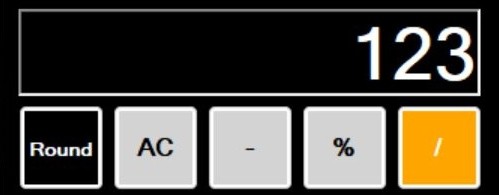
This calculator was created for my first computer science class in Grade 11. The assignment was to build a working calculator, and I decided to challenge myself by making mine look and behave similarly to the iPhone calculator app.
The program includes a custom graphical interface, number buttons, operators, a display area, clear/reset controls, and extra functions such as rounding, percent, powers, pi, and negative values. I focused on making it feel more polished than a basic calculator assignment.
I wanted the calculator to be simple, recognizable, and easy to use. The layout was inspired by the iPhone calculator, with large buttons, a clear display, darker number buttons, and orange operation buttons. Since this was one of my earliest programming projects, a lot of the work involved learning how to connect the visual interface to the actual calculation logic. Each button needed to update the display, store values, and respond correctly depending on what the user pressed.
The calculator interface showing number input, decimal values, operation buttons, and extra calculator functions.
The program handles number input, basic operations, decimal values, clearing the display, and calculating results based on the buttons selected by the user.
I designed a visual layout inspired by the iPhone calculator, using a large display, grouped buttons, colour-coded operations, and a simple button-based workflow.
In addition to standard calculator operations, the project included extra options such as rounding, percent, powers, pi, and switching between positive and negative values.
This project helped me understand how user interfaces and program logic connect together. Pressing a button is simple from the user's perspective, but behind the scenes the program has to track input, store numbers, handle operations, and update the display correctly. It also gave me early practice with debugging. Calculator logic can break in small ways if values are stored incorrectly, so I had to test different inputs and make sure the program responded properly (an example is divide by zero error).
Looking back, this was one of my first projects where I tried to go beyond the basic assignment requirements. Instead of only making a calculator that worked, I wanted it to feel like a real app with a recognizable layout and cleaner presentation. Even though it is a simple project compared to what I have made since, it represents an early point where I started caring about both functionality and user experience.