Conway's Game of Life Rules
The simulation applies the classic rules for reproduction, survival, underpopulation, and overcrowding to every cell on each iteration.
Game Development · Simulation
A Grade 12 computer science project recreating Conway's Game of Life with a custom interface, board creation tools, and live simulation stats.
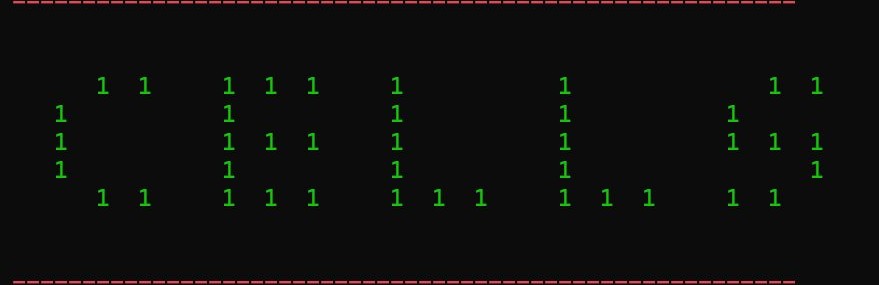
Cells is my recreation of John Conway's Game of Life, created as an assignment for my Grade 12 computer science class. The Game of Life is a zero-player simulation where the user creates an initial grid of living and dead cells, then watches how the pattern evolves over time.
Each cell follows a small set of rules based on its eight neighbouring cells. A cell can survive, die, or be born depending on how crowded or isolated it is. Even though the rules are simple, the patterns that emerge can become surprisingly complex.
I built the project as a school programming assignment, but spent extra time making the interface feel more polished and interactive. I wanted the program to be more than just a basic grid simulation, so I added menus, board creation options, visibility settings, and live statistics during gameplay. The project gave me a chance to focus on both the logic of the simulation and the way the user interacts with it.
Title screen, board creation tools, and gameplay views from the Cells project.
The simulation applies the classic rules for reproduction, survival, underpopulation, and overcrowding to every cell on each iteration.
Users can create a custom board by choosing the grid size, or load a board from a text file using 0s and 1s to represent dead and living cells.
The interface displays the iteration count, number of living cells, number of dead cells, and includes options to show or hide grid positions and dead cells.
At the start, the user creates or loads a grid. Each square in the grid is treated as a cell that is either alive or dead. When the simulation advances, the program checks each cell's eight neighbours and applies the Game of Life rules to decide what happens next.
Pressing Enter advances the simulation by one iteration, allowing the user to step through the pattern and watch how the board changes over time.
A dead cell with exactly three living neighbours becomes alive. A living cell with two or three living neighbours survives. A living cell with fewer than two living neighbours dies from underpopulation, and a living cell with more than three living neighbours dies from overcrowding.
What makes the Game of Life interesting is how much complexity can emerge from only a few simple rules.
This project helped me understand how simulations work and how a program can update a whole system step by step using a set of repeated rules. It also gave me practice with grids, loops, conditional logic, file input, and tracking changing data over time. I also learned how much a good interface can improve a project. Even for a simple simulation, menus, visual options, and clear stats can make the program much easier and more enjoyable to use.
Cells was one of my favourite programming projects from Grade 12 because I put extra effort into how it looked and felt. The core assignment was to recreate the simulation, but I wanted the final result to feel more complete and interactive.