Branching Story and Endings
The game included thirteen different endings/achievements. Some were simple, while others required solving small puzzles, collecting specific items, or taking a certain route through the house.
Game Development · Text Adventure
A Grade 11 computer science final project where I created a terminal-based adventure game with a branching horror story, a working inventory system, multiple endings, achievement tracking, and several hours of playable content.
Choose Your Own Adventure was one of my Grade 11 computer science final projects. The assignment was to create a text-based adventure game, but I ended up putting a lot of extra time into making it feel like a full little game instead of just a short branching story.
The game follows Steve after he crashes his car on a dark December night and discovers an abandoned house nearby. From there, the player explores different areas, collects items, solves small puzzles, and tries to unlock every possible ending.
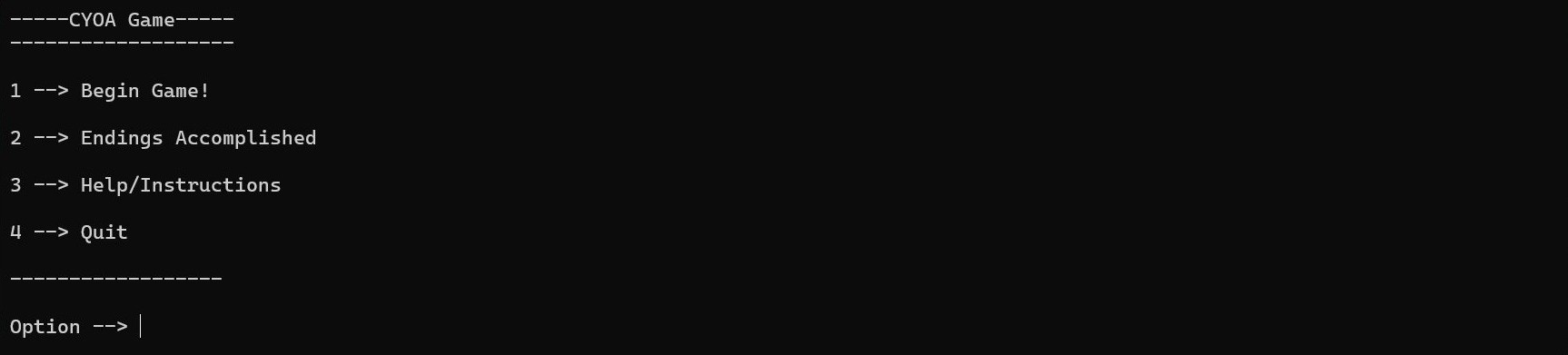
I built the game in C# as a console application. It included a main menu, help menus, dynamic text display, inventory transfer, item usage, ending tracking, and thirteen different endings and achievements to discover.
The player moves through locations such as the car, woods, kitchen, bathroom, living room, bedroom, attic, backyard, and basement. Each area gives the player different choices, and some choices lead to new locations, items, puzzles, or endings.
A major part of the game was the inventory system. The player could collect items such as rocks, car parts, batteries, crosses, a bath bomb, a camera, and a red key. Items could be moved between the player inventory and location-based inventories, with the player only being able to hold five items at a time.
Some endings required specific items or routes. For example, the player could use a rock to scare away a creature, collect seven crosses for a hidden ending, repair the car badly, take a picture of the creature, or simply walk away from the whole situation.
Menus, help screens, inventory systems, endings, and gameplay moments from the Choose Your Own Adventure project.
The game included thirteen different endings/achievements. Some were simple, while others required solving small puzzles, collecting specific items, or taking a certain route through the house.
I created a working inventory system where items could be picked up, transferred between different inventories, and used during specific moments. The player inventory also had a five-item limit.
The project included a main menu, endings menu, instructions, inventory help, and ending hints. This made the game easier to replay and gave players guidance when trying to unlock every route.
This project helped me practice breaking a larger program into methods, managing arrays, tracking game state, and organizing branching logic across many different locations and outcomes. I also learned how much planning matters in a choice-based game. Since certain endings depended on specific items, routes, and previous choices, I had to keep track of what the player had done and make sure each path still worked properly.
Looking back, this was one of the most fun terminal games I made in high school. I spent weeks building out the story, endings, inventory system, and help menus, and a full completion playthrough took me over three hours. Even though it was only a console game, it felt like a complete adventure because there were so many small details, jokes, hidden routes, and different ways to end the story. It was one of the first projects where I really tried to make the player experience feel bigger than the assignment required.