Plain web app, Node server
The whole front end is plain HTML, CSS, and JavaScript with no framework, talking to a Node.js and Express server that manages the library and streams the media.
Coding Projects · Live Web App
A self-hosted app I designed and direct as my own replacement for Spotify, Netflix, and YouTube, plus a journal, calendar, notes, and more, all in one place. It runs on my home server and I use it every day on my phone, laptop, and TV. I came up with the app and every screen in it; the code was written entirely by Claude to my direction.
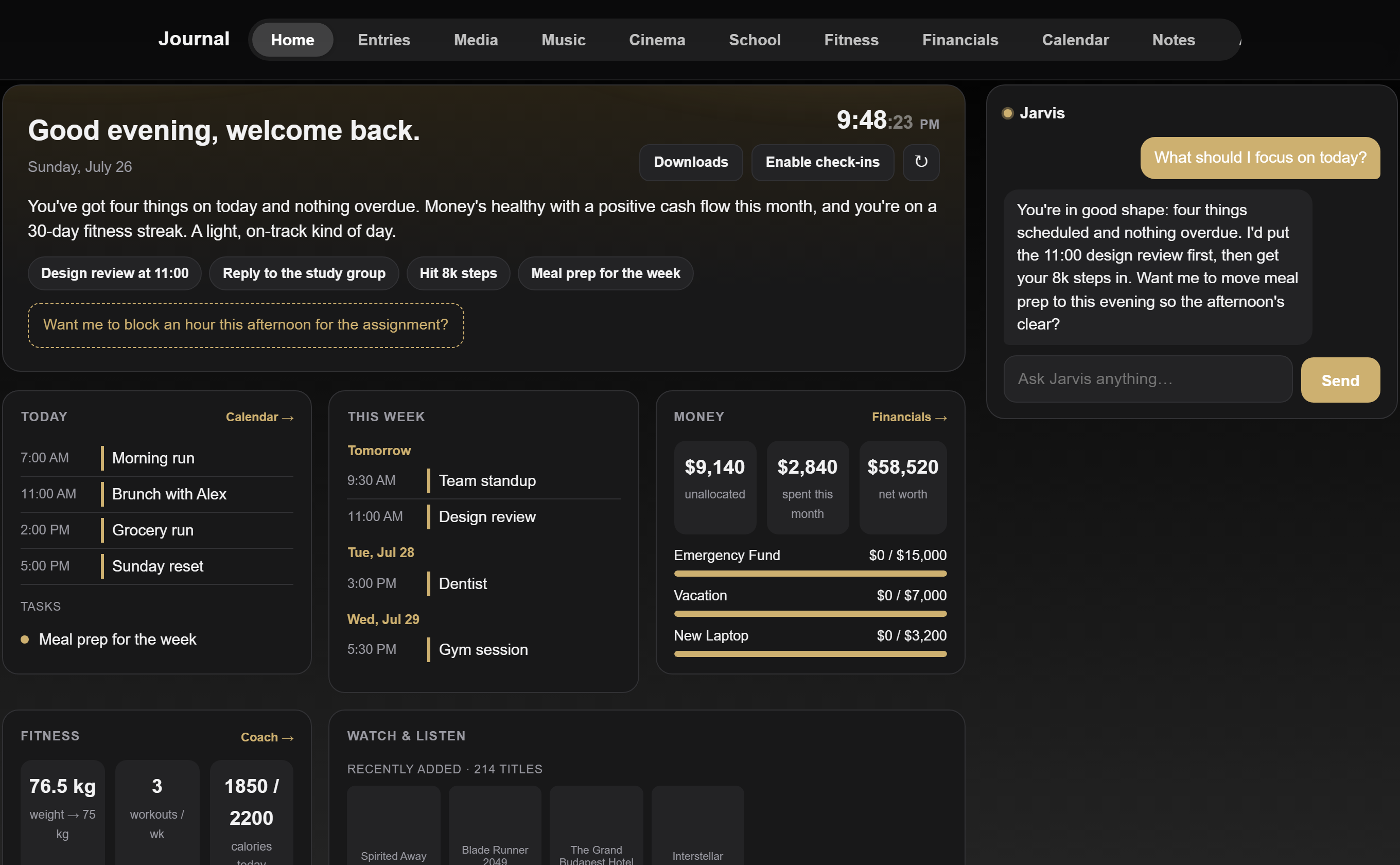
Every screenshot on this page is running on placeholder demo data. The songs, events, numbers, and messages are all made up to show how the app looks and works. None of it is my real information.
I wanted my music, movies, shows, videos, notes, calendar, and daily trackers in one place that I own and control, instead of spread across a stack of subscriptions. So that is what this is: a single web app that streams a large music library, plays my movies and shows, browses my video collection, and keeps my notes, calendar, and logs.
It installs to the home screen like a real app, works offline, and stays in sync as I move from my phone to my laptop to the TV without missing a beat.
Every idea, feature, and design decision here is mine. I planned what each screen should do and how it should look and feel, then directed Claude, which wrote all of the code. When something was not right, I sent it back until it was. I keep using it every day and keep adding to it.
A section for each part of my life, all under one app. Click any screen to view it full size.
The whole app is built mobile-first and installs like a native app. Click any screen to view it full size.
A no-framework web app up front, a Node server behind it, and heavier tools doing the background work.
The whole front end is plain HTML, CSS, and JavaScript with no framework, talking to a Node.js and Express server that manages the library and streams the media.
It is a progressive web app: it installs to the home screen, works with no connection, lets me download songs and episodes, and keeps playback in sync across my devices.
Songs are analysed for tempo, key, and structure ahead of time, and the player uses the Web Audio API to beat-match, swap the bass, and loop outros so one song flows into the next.
Background tools generate synced lyrics from the audio, re-encode video for smooth playback, match every song to the same loudness, and check the library, so new media arrives ready to play.
Most of my projects get finished and set down. This one I use every single day, so I keep finding things to improve and keep building. It has taught me how the parts of a real app fit together: a front end, a server, offline storage, background processing, and syncing across devices, and how to steer a big, messy codebase toward exactly what I pictured. It is the clearest proof of what I can direct into existence, working with Claude.