Physical Builds
Personal Computer
A custom-built desktop PC I assembled after my first year at Western, designed as my dream computer for school, creative work, gaming, and personal projects.
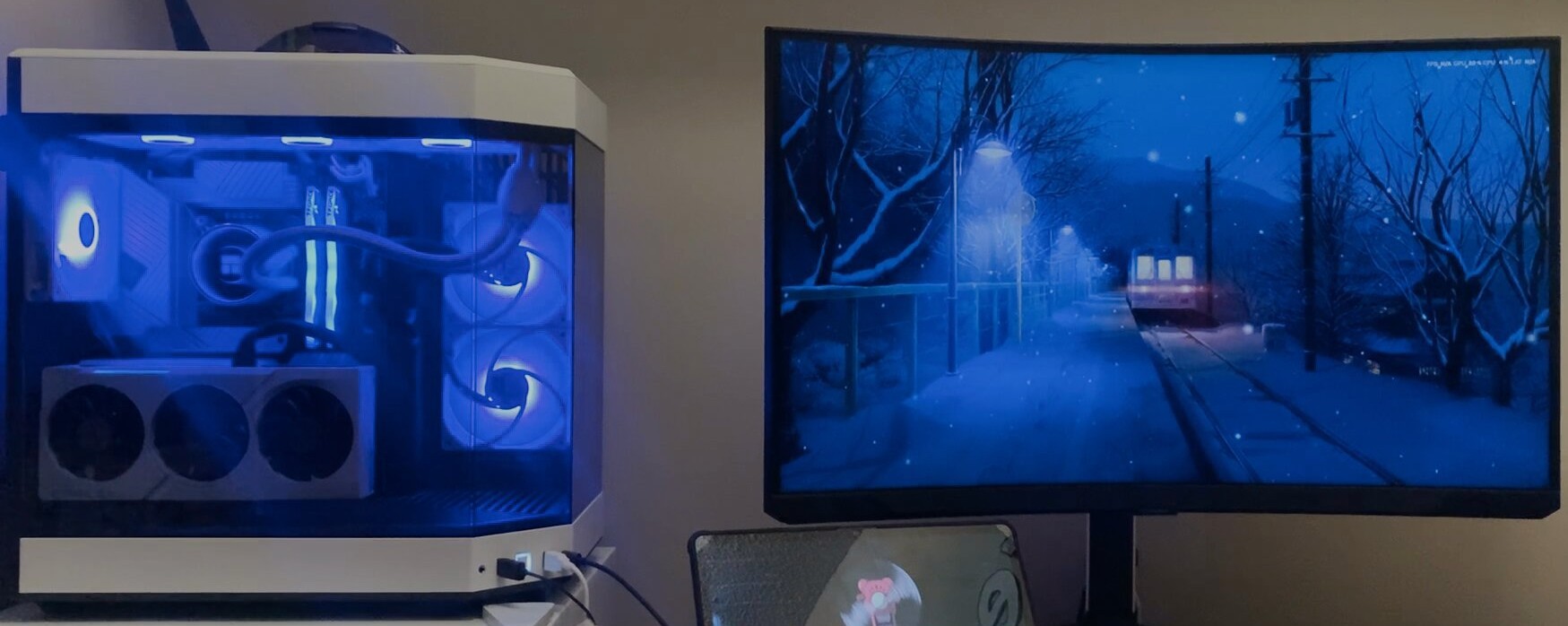
A workstation worth showing off
This is my personal computer, built during the summer after my first year at Western. I wanted a powerful and clean-looking setup that could handle schoolwork, programming, Blender, 3D printing workflows, video editing, gaming, and general creative projects.
The build uses a white and black theme with a HYTE Y60 case, a panoramic glass layout, liquid cooling, RGB lighting, and a vertically mounted graphics card. It was designed to be both high-performance and visually clean, since it became the centre of my workspace.
Assembled from scratch
After choosing the parts, I assembled the computer from scratch, including the motherboard, CPU, liquid cooler, graphics card, storage drives, power supply, fans, and case wiring.
I also spent time organizing the layout inside the case, setting up the cooling, routing cables, and arranging the final desk setup so the computer would be practical to use every day while still looking clean on display.
Build Specifications
Every part that went into it.
Project Photos
The completed PC, workspace setup, lighting, and how it fit into my residence room. Click any photo to enlarge.
What I Learned
This build gave me more confidence working with computer hardware and planning a full system from individual parts. I learned more about compatibility, cooling, cable routing, power requirements, storage setup, and how important airflow is in a high-performance desktop.
I also learned how much planning matters before starting the build. Choosing a case, cooler, motherboard, GPU, and storage setup all affects how the final computer fits together and how easy it is to maintain later.
Looking Back
This is still one of my favourite physical builds because it became something I use almost every day. It is not just a display piece; it is the computer I use for programming, design, schoolwork, gaming, and many of my personal projects.
Building it myself made the setup feel much more personal. It gave me a workstation that looks the way I wanted, performs well, and supports the rest of the creative and technical work I do.