An inventory and event management app I built for Brant Church Estates, my family's event venue. It brings together the practical details of running an event: what is available, where it is stored, what needs setting up, and what has been paid.
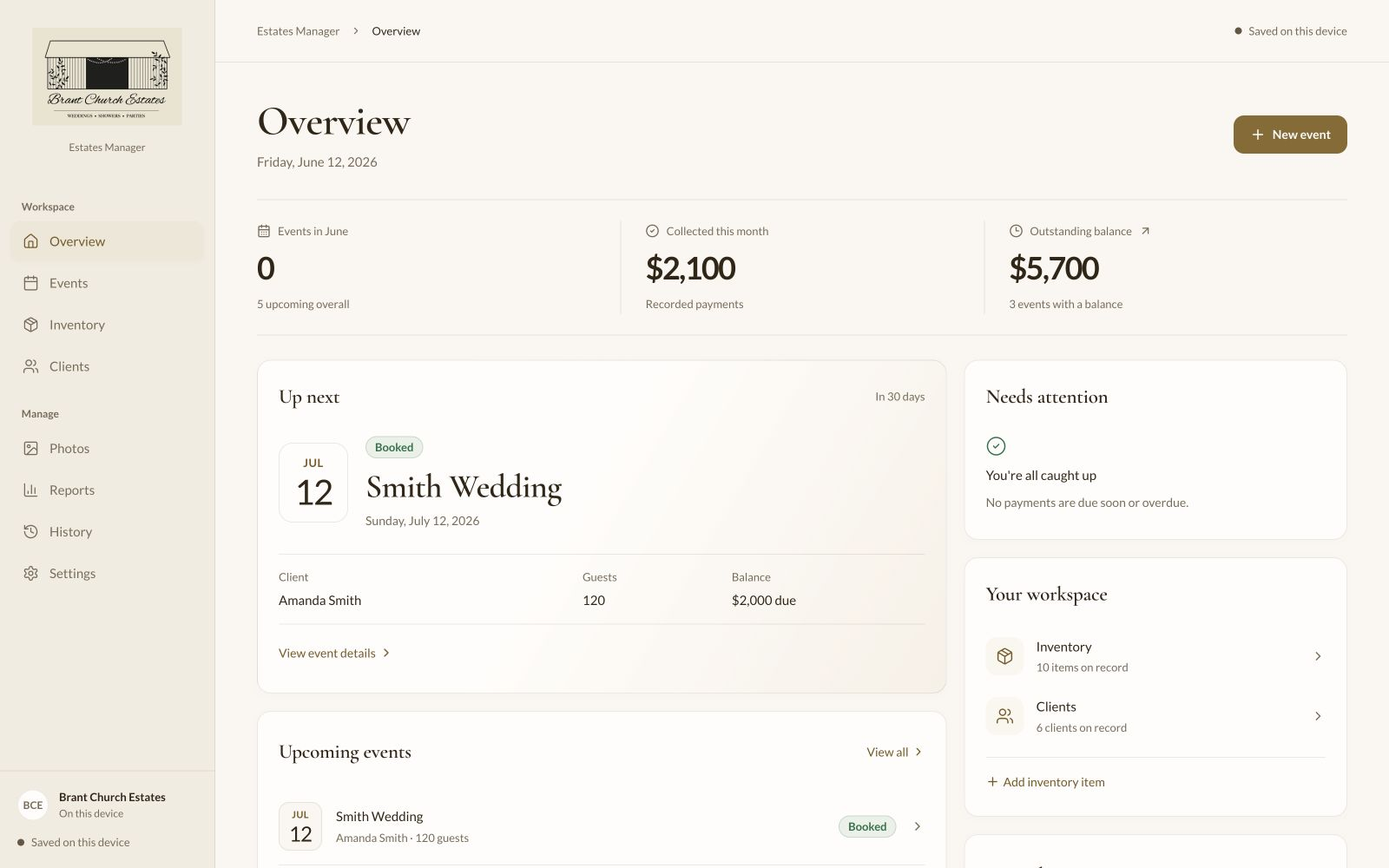
The desktop overview, with the next booking, payment totals, and items needing attention.
Screenshots use fictional demo records. Select an image to view it full size.
The project
Keeping the venue's details together
The app started around inventory, but the items only tell part of the story. Chairs, linens, and decorations also belong to event plans, which connect to clients, setup tasks, and payments. I wanted those pieces to be easy to find together.
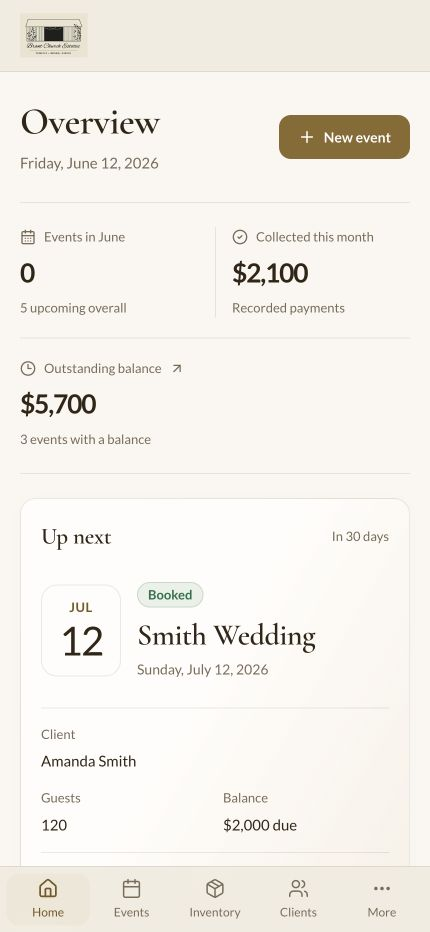
The overview is the starting point. It shows the next event, upcoming bookings, money recorded this month, and outstanding balances. From there, each section handles a specific part of the venue's work.
Inventory, bookings, and planning
A closer look at the main parts of the app on desktop.
Inventory & storage
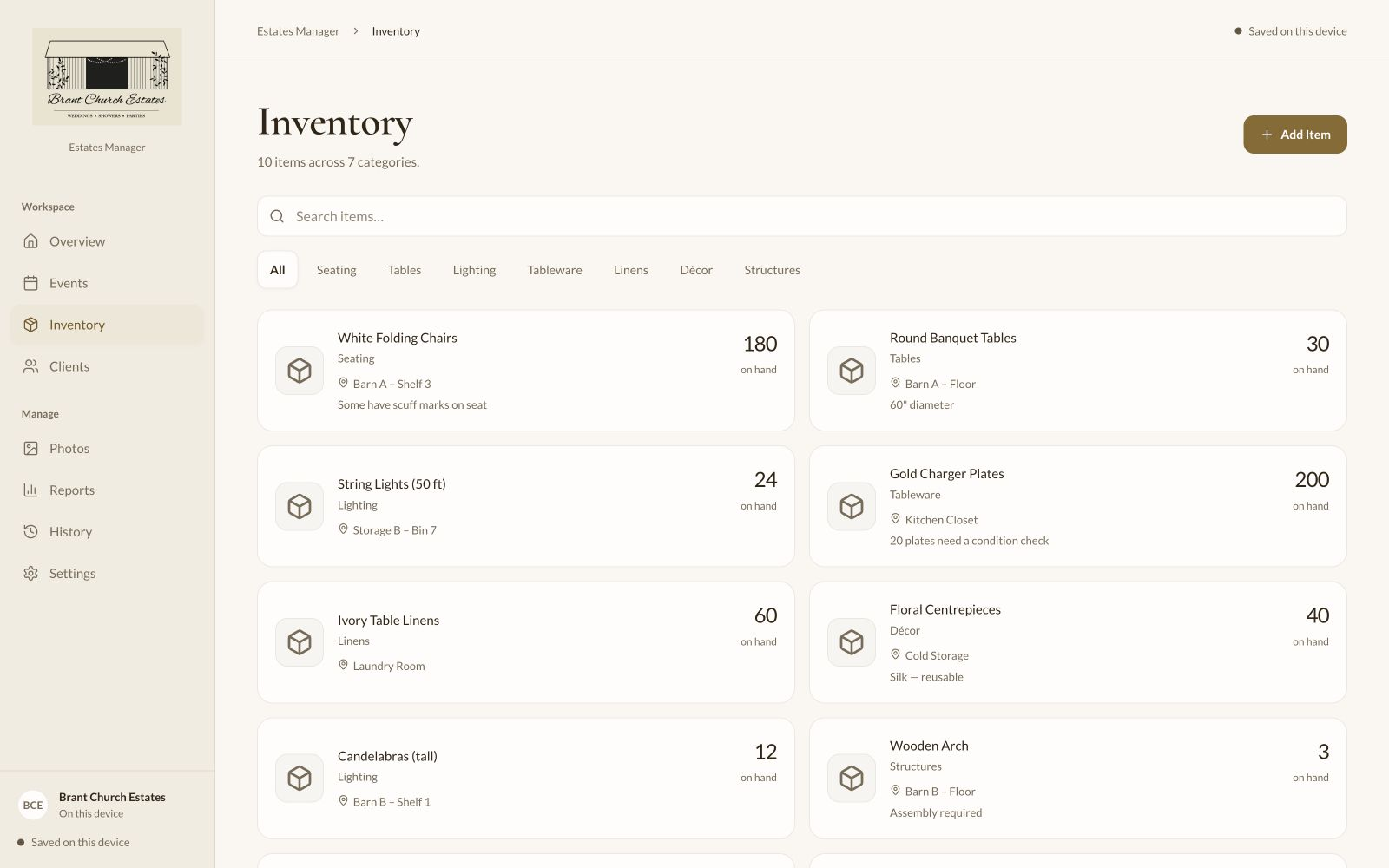
Each item has a category, quantity, storage location, notes, and optional photos. Search and category filters help locate something quickly, whether it is seating, tableware, lighting, or décor.
Items can also be assigned to events, so the booking record includes the equipment and decorations planned for that setup. Condition notes keep details such as scuffed chairs or items needing a check close to the inventory itself.
Events & bookings
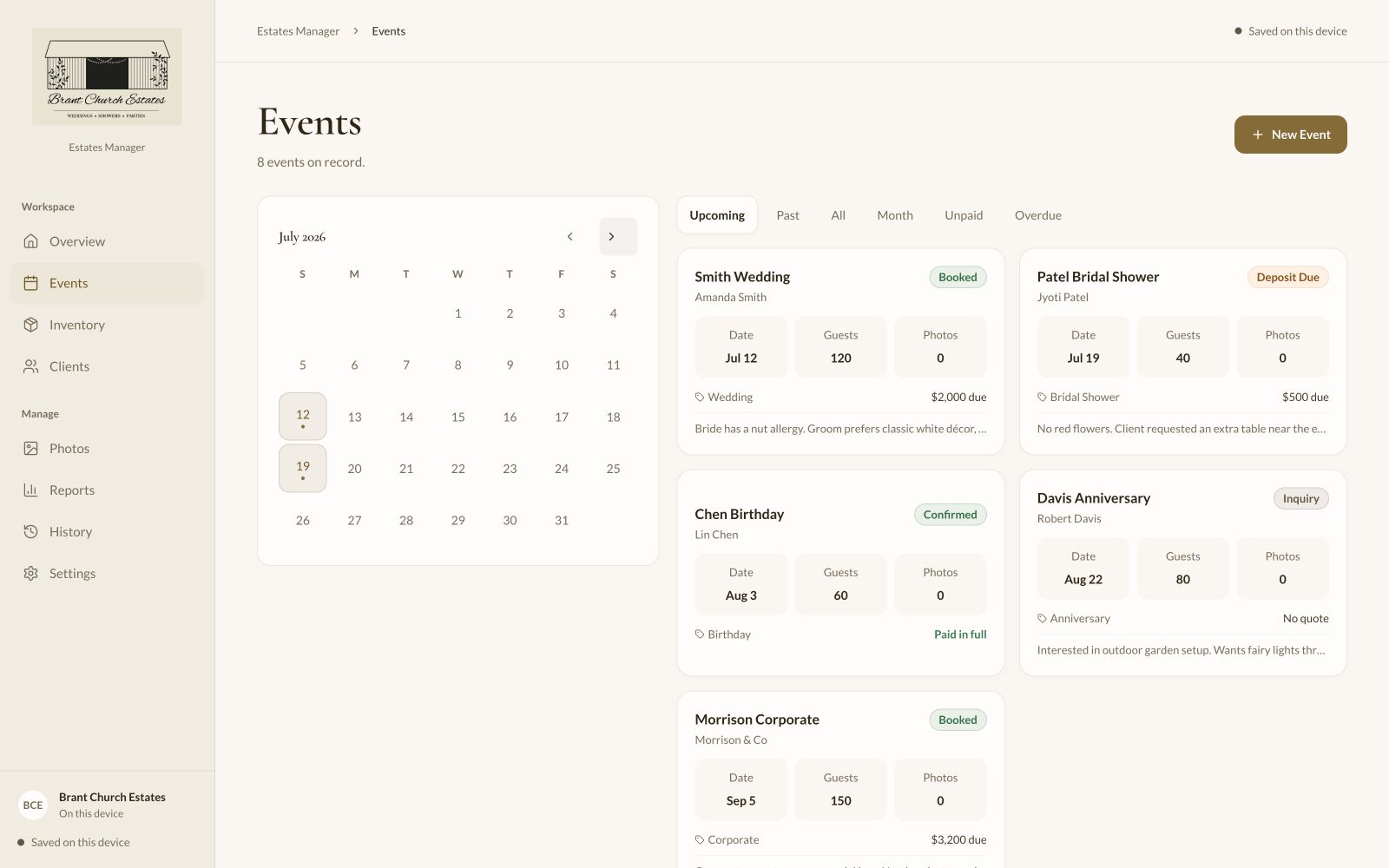
The calendar and booking list show event dates alongside their status, client, guest count, and balance. Filters separate upcoming and past bookings, a selected month, and events with unpaid or overdue amounts.
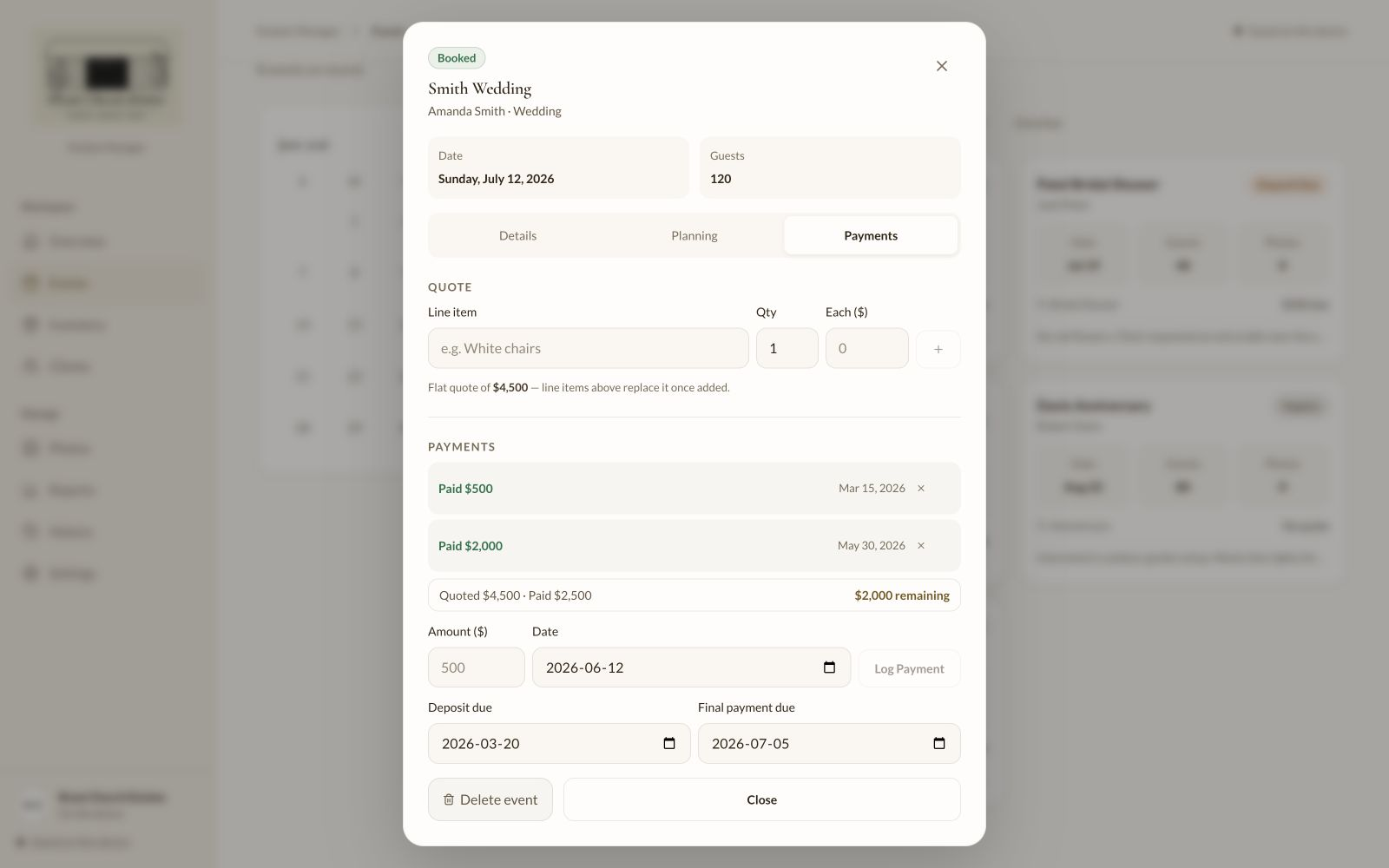
Opening an event brings up its details, planning, and payments in separate tabs. Notes, style preferences, assigned inventory, and event photos stay attached to that booking.
Setup & the event day
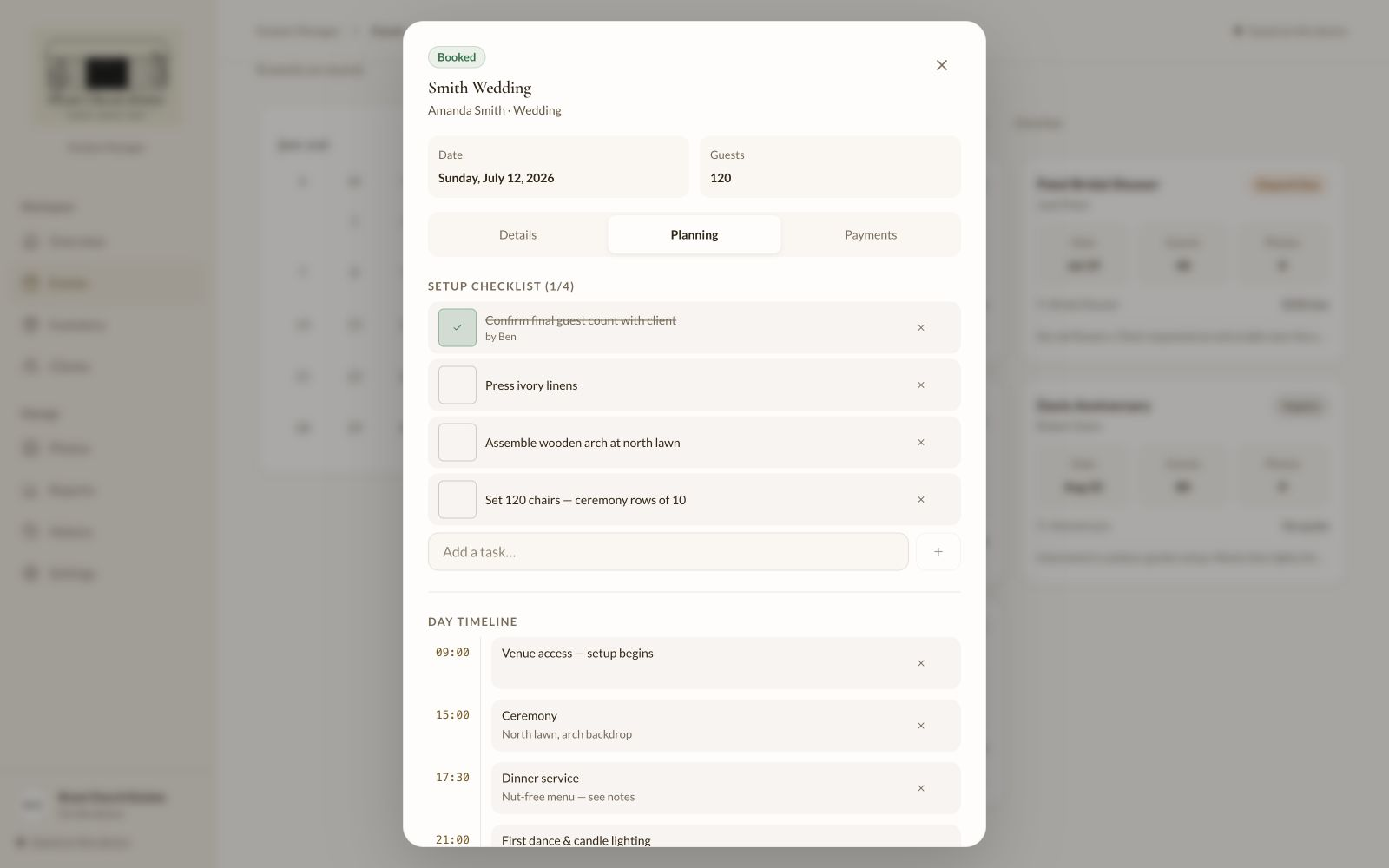
The planning tab combines a setup checklist with a timeline. Tasks cover preparations such as pressing linens or arranging chairs, with a record of who completed them.
Timeline entries have a time, title, and notes for things like venue access, the ceremony, and dinner service. This keeps the preparations and the day's schedule beside the rest of the event information.
Quotes & payments
An event can use a flat quote or a breakdown of line items with quantities and prices. Dated payment entries show how much has been received and what remains, with separate deposit and final payment due dates.
Voiding a payment adds a reversing entry, preserving the original record. These are records of payments received; the app does not process card payments.
The records behind the events
Clients
Client profiles hold contact details and notes alongside their event history and payment totals. An event links back to its client, keeping the relationship between a person and their bookings clear.
Reports
The current reports summarize collected payments, outstanding balances, event totals, upcoming bookings, and the most-used inventory item. More detailed charts and seasonal reporting are still planned.
History & settings
History records changes to the app's data and supports undo for supported actions. Settings contains appearance preferences and tools to export or import a JSON backup of records; those backups do not include photo files.
On phones & tablets
The same app, with a layout that adapts to the available space.
Using it around the venue
On a laptop, the sidebar keeps the main sections in view. Tablets use the available width for lists and cards, while phones stack the content and move navigation to the bottom of the screen. Less frequent sections sit under More.
The app can be installed to the home screen, making it easy to reopen while checking inventory or working through an event plan.
Photos as a reference
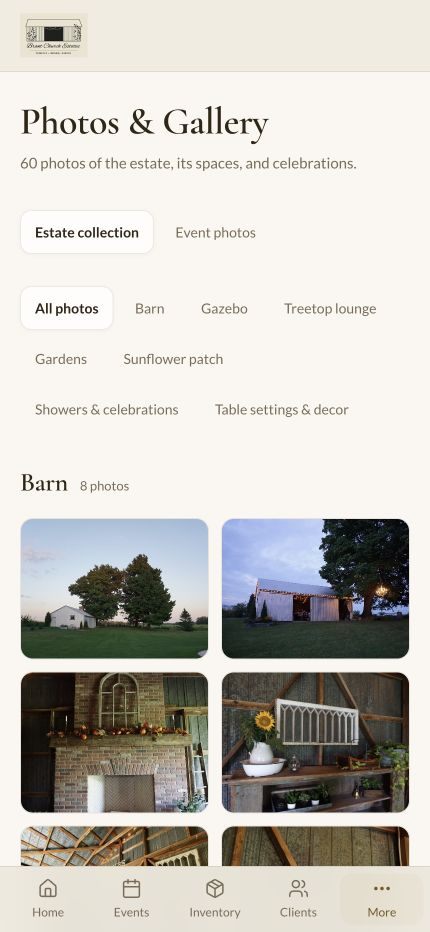
The estate gallery groups photographs by space and theme, including the barn, gazebo, gardens, celebrations, and table settings. It gives a visual reference when discussing décor or planning a setup.
Photos uploaded for a particular event stay with that booking. Both collections support a larger image view for a closer look at the details.
The overview on a phone.Estate photos grouped by theme.
How it is built
The interface and data storage are designed around both local use and a connected team setup.
Interface
React handles the screens and interactions, Vite provides the development and build tools, and Tailwind CSS supports the responsive layout. Shared controls keep forms, filters, and navigation consistent across sections.
Local storage & offline use
Dexie manages IndexedDB in the browser for local records and photos. The progressive web app caches its interface for offline use and supports installation. In local mode, data belongs to that browser and device.
Connected team mode
With a team server configured, the app supports sign-in, roles, queued changes for synchronization, CSV exports, and a private calendar subscription. The screenshots here show the local demo mode.